Desktop widget
Today's list on your desktop
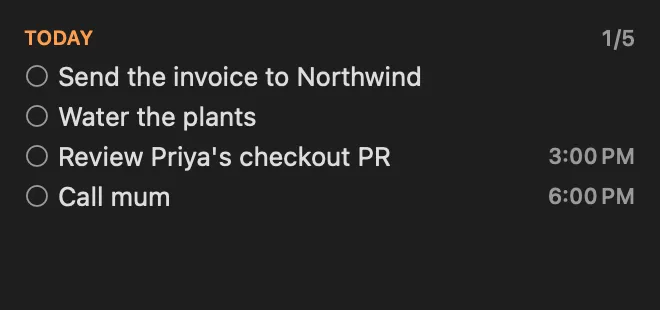
A calm to-do list that understands dates as you type them, kept in Apple Reminders so it's on all your devices.
About
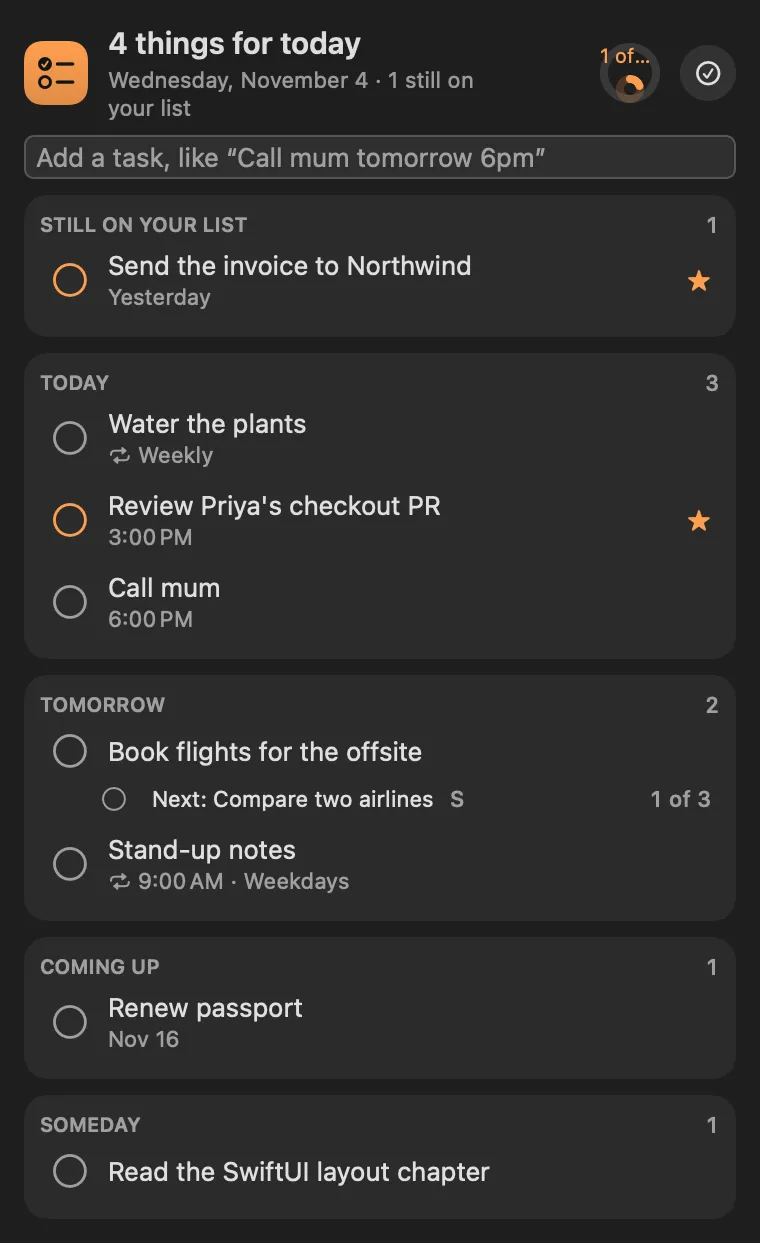
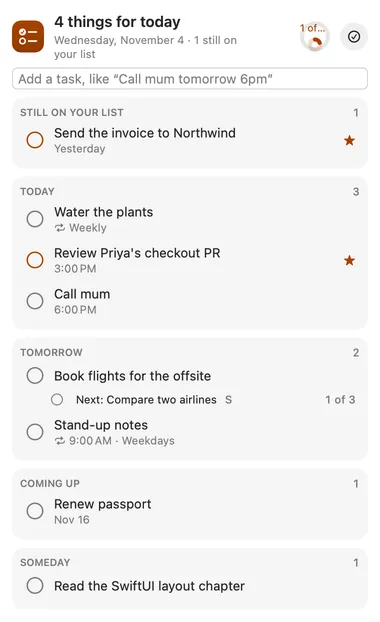
A calm to-do list for the menu bar, in a warm orange. Type a task the way you would say it and the when comes out of the words: “Call the dentist tomorrow at 2pm” becomes Call the dentist, due tomorrow at 2:00 PM. Today’s tasks (and any left over from earlier) sit on top, then tomorrow, then what is coming up, then someday. A small ring in the header fills as today’s tasks get done.
Tasks live in Apple Reminders, so they’re on your iPhone, iPad and Watch too, and Siri can add to them. Big tasks break into small steps.
Desktop widget
Gallery


From anywhere
Every command is in Stackbar's palette, and can have its own hotkey, a stackbar:// link, or a Shortcuts action.
Claude and other agents can call these over MCP while Stackbar runs:
tasksaddInside
your Reminders lists are Todo's categories. Pick one at the top of the panel to see just that list, type #groceries in a task to file it in Groceries, or move a task from its editor. New tasks go to the list on screen, or your default list. (Apple doesn't let apps use Reminders' sections, tags or subtasks, so those stay in the Reminders app.)
open a task and choose *Break into steps*, then type a step and press Return for each one. Tap S, M or B to size a step. The task's row shows its next step (small ones first) with a circle to tick it, and how many are done; ticking the last one finishes the task. Type Plan the offsite: book a venue; send invites to add a task with its steps in one go. In Reminders, steps are a ☐ checklist at the end of the notes, so you see them on your phone too.
paste or type several lines and each becomes a task.
changes go to Reminders as you make them, and changes from your other devices come in as Reminders gets them. Only the fields you changed are written, so an edit here never undoes one made on your phone. It all works offline; macOS syncs Reminders when you're back online.
today, tonight, tomorrow, the day after tomorrow, friday, this friday, next friday (the Friday of next week), this weekend, next week, next month, in 3 days, in 2 hours, in half an hour, Nov 5, 5 November, the 12th, 2027-03-12. Times: 2pm, 2:30pm, 14:30, at 9, noon, this morning, this afternoon, this evening. Repeats: every day, every weekday, every monday, every week, every month, daily, weekly, monthly. A ! on its own marks the task important. Words in "double quotes" are kept as they are.
tick the circle to finish a task; tick a done one to bring it back. Click a task to open it in place: rename it (a date in the new text reschedules it), move it to Today, Tomorrow, the weekend, next week or Someday, set a repeat, star it or delete it. Every add, tick, move and delete shows a banner with Undo. The eye button shows what you have done.
ticking off a repeating task records it as done and moves it to its next day.
in Reminders, a task with a time gets a Reminders alert, on every device, with Done and Snooze. On this Mac only, Todo sends one notification when it is due; one the Mac slept through by more than half a day is let go quietly.
optionally, one notification at a time you choose, only on days you haven't ticked anything off, naming a small step to start with.
nothing is ever “overdue” or red. Tasks from earlier days wait under *Still on your list*.
a quiet count of what is due today, or the next task, the count of everything open, or just the icon. It never turns red.
where tasks live, what the menu bar shows, alerts and their sound, the nudge, a morning summary of the day at 7, 8, 9 or 10 AM, and how long done tasks are kept.
Install
Don't have Stackbar yet? Download it free.
stackbarctl install --index https://navbytes.github.io/stackbar-plugins/index.json io.navbytes.stackbar.plugins.todoVersion history