Getting started
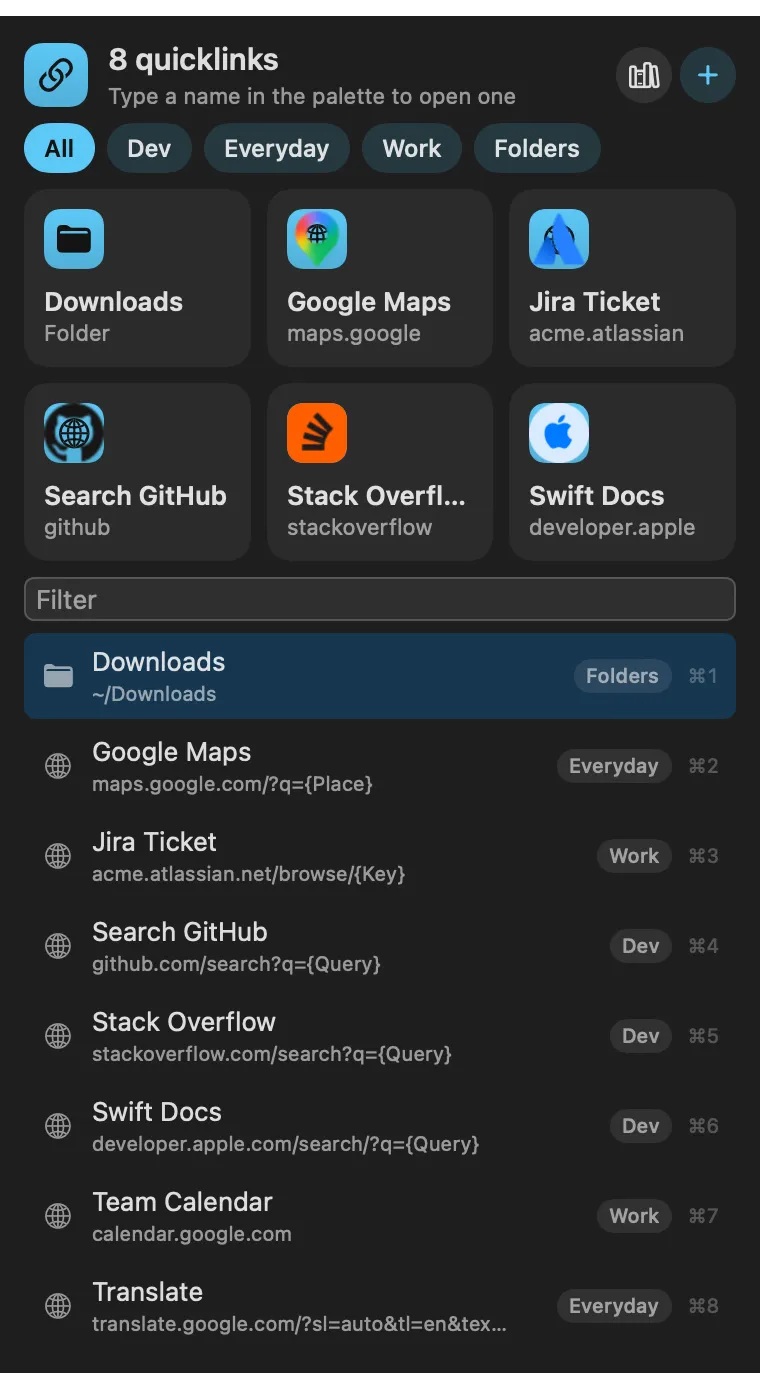
an empty panel offers eight everyday links in one click, and Browse Quicklink Library has 40 ready-made searches, sites and folders (Search, Developer, Productivity, Mac) to add one by one or all at once.
About
Links and folders you open by name from the palette, Spotlight, a hotkey or a
link, with placeholders filled in as you go. Each quicklink becomes a command
of its own. Links use Raycast’s template syntax:
https://github.com/search?q={argument name="query"} asks for a query,
{clipboard} and {selection} take what you copied or selected, and
{date format="yyyy-MM-dd"} gives today’s date.
Gallery
From anywhere
Every command is in Stackbar's palette, and can have its own hotkey, a stackbar:// link, or a Shortcuts action.
Inside
an empty panel offers eight everyday links in one click, and Browse Quicklink Library has 40 ready-made searches, sites and folders (Search, Developer, Productivity, Mac) to add one by one or all at once.
the ones you open most, and most lately, come first in the list and the launcher.
your quicklinks, the library, and importing a Raycast export.
Install
Don't have Stackbar yet? Download it free.
stackbarctl install --index https://navbytes.github.io/stackbar-plugins/index.json io.navbytes.stackbar.quicklinksVersion history